What is this page for?
When the assistant recognises during a call that a caller may need to be approached again, for example because they showed interest but didn't book an appointment, CallingBird lists it under Workflow > Follow-up opportunities. Each opportunity shows a summary, and you choose the next step yourself.
How it works
- 1Open Follow-up opportunities
Choose Workflow > Follow-up opportunities in the menu.
- 2Filter by priority
Choose All, High or Normal above the list to filter the opportunities by priority.
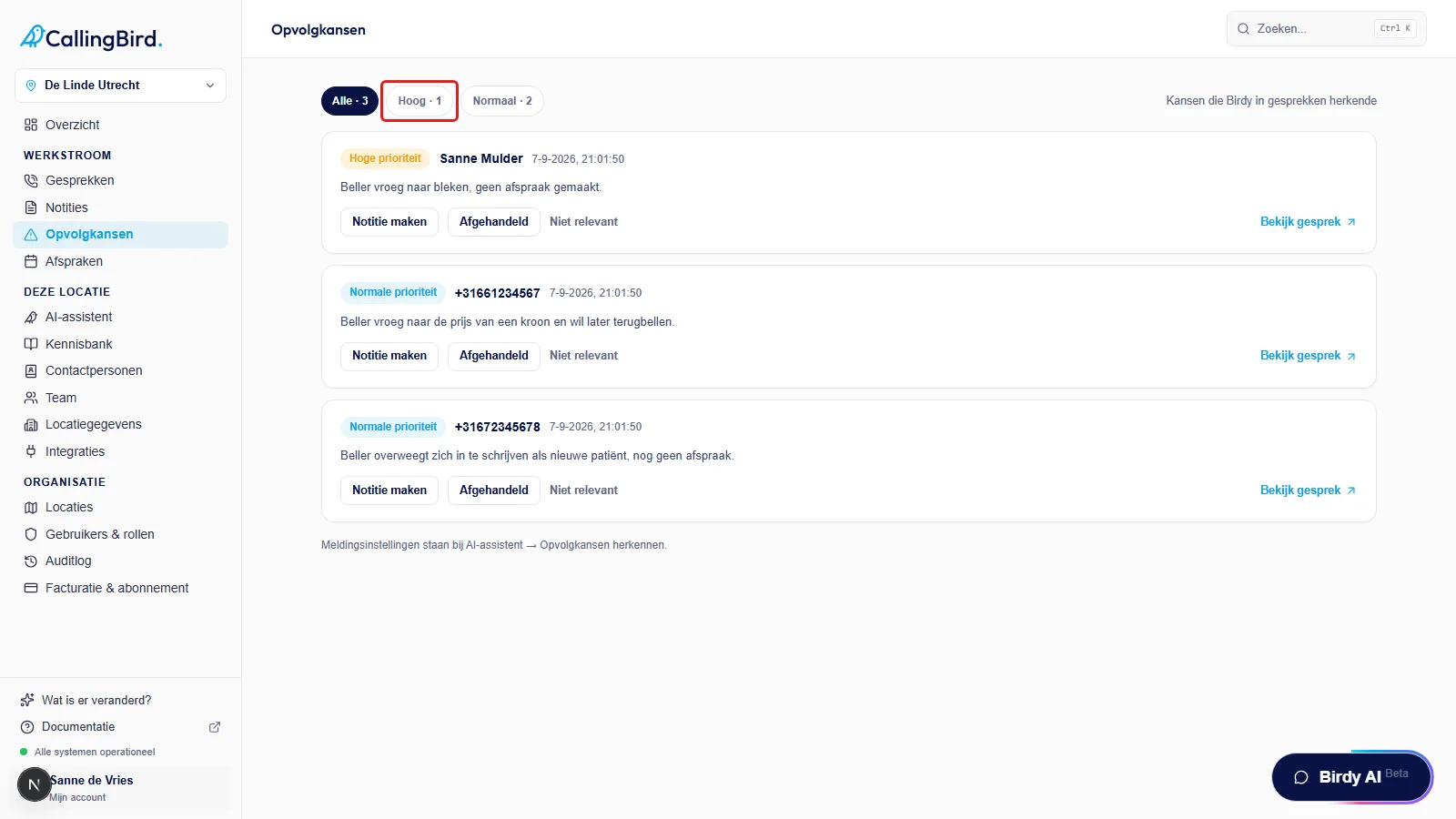
Filter by priority or view all open opportunities at once. - 3Review an opportunity
Each card shows the caller, the time and a summary of what came up.
- 4Choose an action
Click Create Note to turn it into a callback request, Handled if it's already resolved, or Not relevant to dismiss the opportunity.
- 5View the call
Click View call to open the related transcript.
Good to know
- Whether the assistant recognises follow-up opportunities is turned on under AI assistant > Recognise follow-up opportunities.