
What is this page for?
Birdy is CallingBird's AI helper. Click Birdy AI at the bottom right. On the AI assistant page you use the Setup help button instead. You type in plain language what you want to change, for example that the assistant should ask for a date of birth, and Birdy makes a proposal.
How it works
- 1Open Birdy
Click Birdy AI at the bottom right, or Setup help on the AI assistant page.
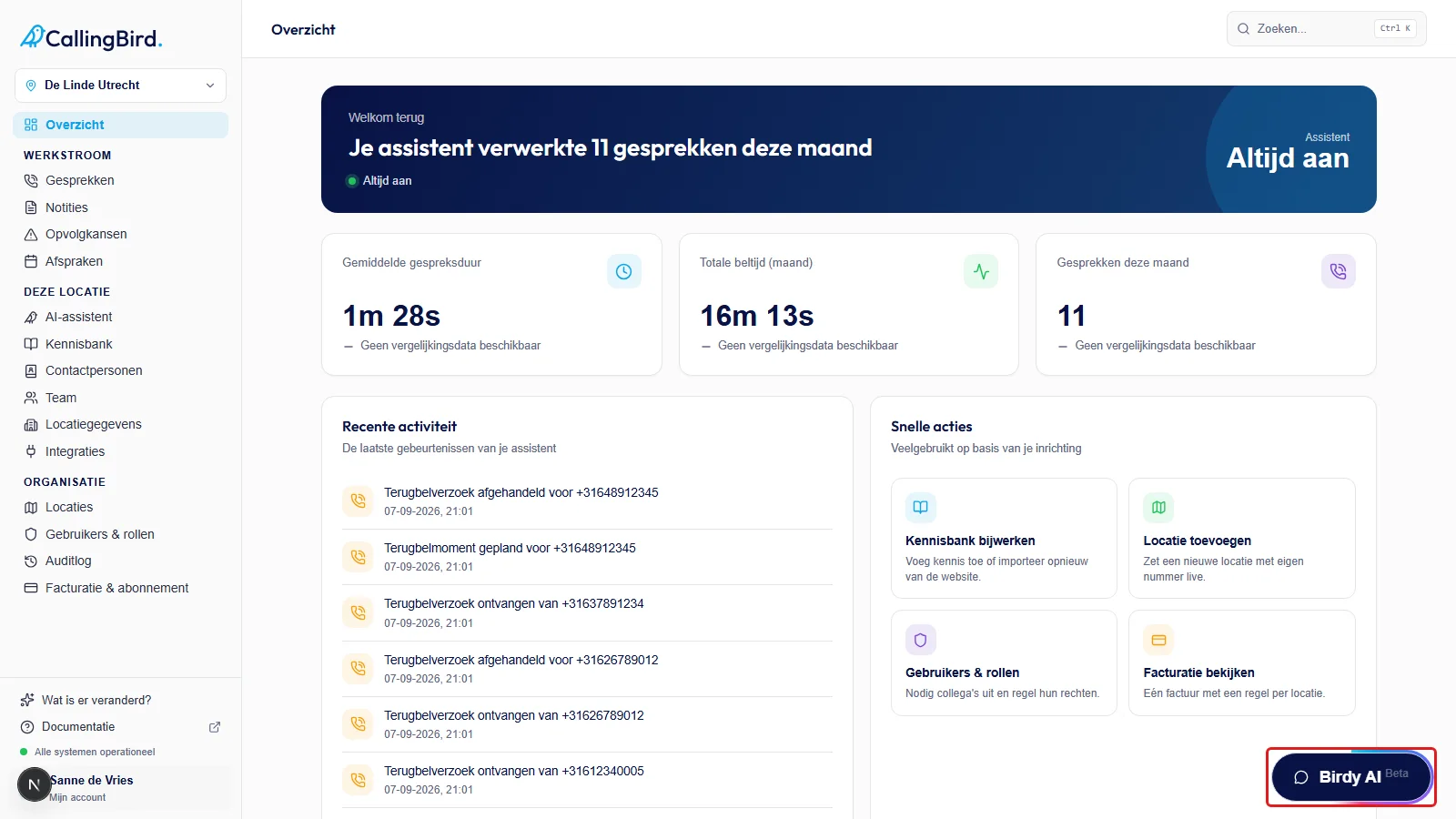
Birdy is reachable from every page through this button. - 2Describe what you want
Type in the message field what you want to change, the way you'd explain it to a colleague.
- 3Review the proposal
Birdy shows a card with Proposed changes: exactly what will change, with Current and New side by side.
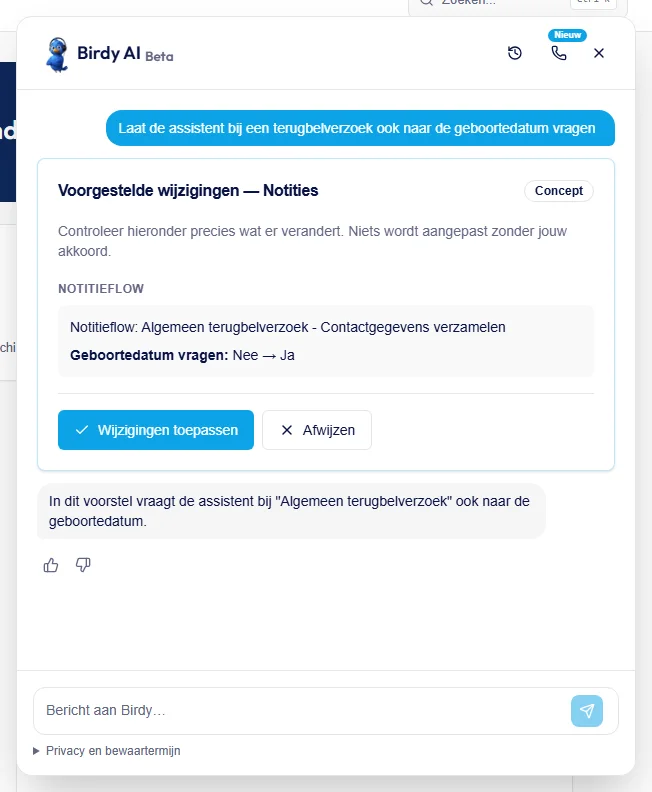
You always see what will change first, before approving anything. - 4Apply or reject it
Click Apply changes to carry out the proposal, or Reject to leave things as they are.
Good to know
- Birdy never changes anything automatically: nothing happens until you choose Apply changes.
- Don't share callers' names or phone numbers in your message to Birdy.
- The Birdy AI button is only visible to those who can manage the assistant.