
What is this page for?
Under Workflow > Appointments you see every appointment your assistant has booked, moved or cancelled in the connected calendar. This is a log: the appointments themselves live in your calendar, here you see how they came about.
How it works
- 1Open Appointments
Choose Workflow > Appointments in the menu.
- 2Review the list
Each row shows when the appointment is, the appointment type, the connected calendar and the status, such as Booked or Cancelled.
- 3Expand an appointment
Click a row to view the caller's intake answers and the appointment's history, such as booked, rescheduled or cancelled.
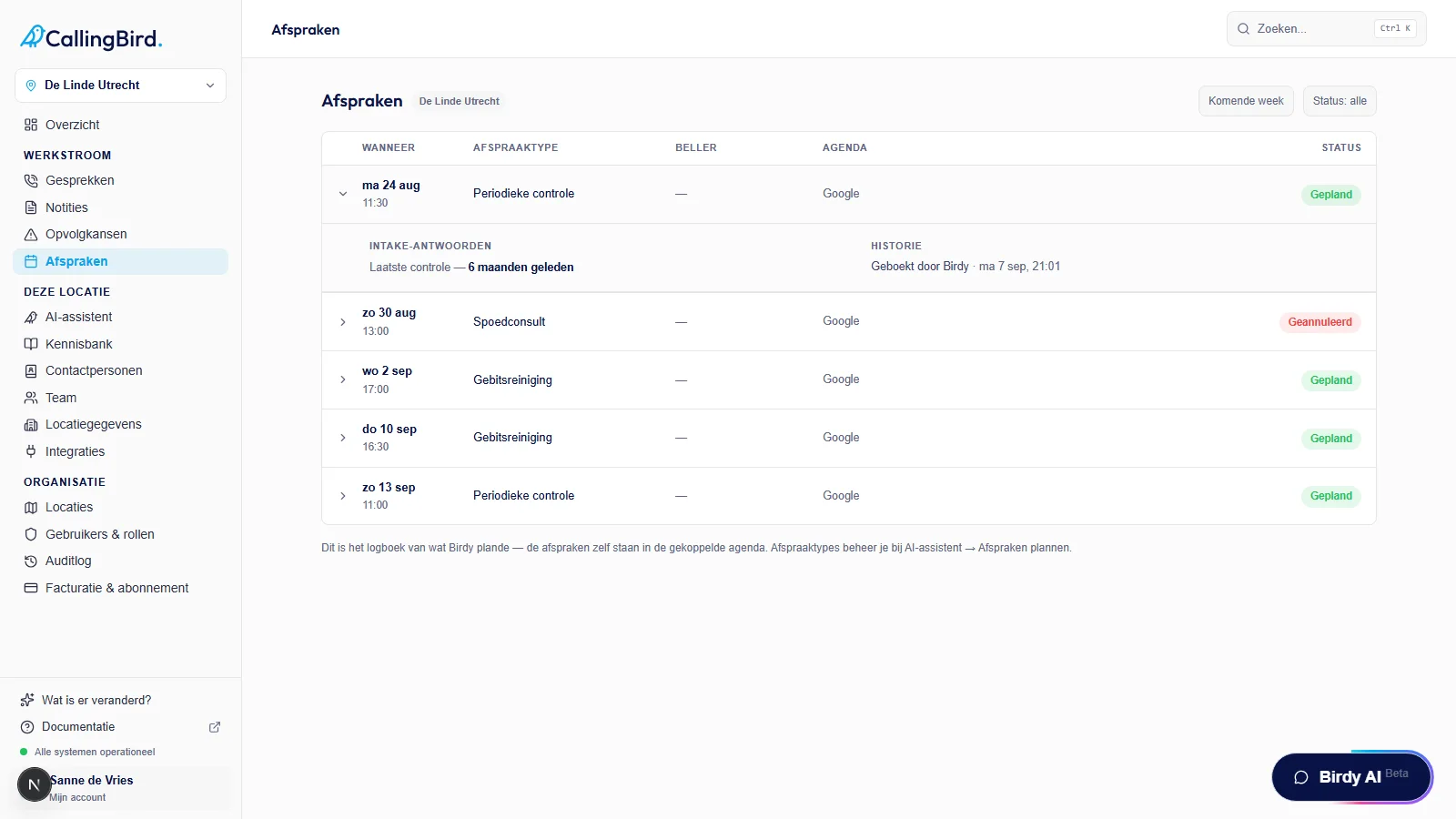
Click a row for the answers and history of that appointment.
Good to know
- This page only fills up once you've connected a calendar under Integrations.
- Which appointment types callers can book is set under AI assistant > Schedule appointments.