What is this page for?
You reach My account through the line at the bottom of the menu. Here you manage your own login details and preferences: email address, password, language and theme. You also log out here.
How it works
- 1Open My account
Click My account at the bottom of the menu.
- 2Change your email address
Click Change next to Email address, enter your new email address and your current password, and confirm through the link sent to your new address.
- 3Change your password
Click Change next to Password, enter your current and your new password (at least 8 characters) and save.
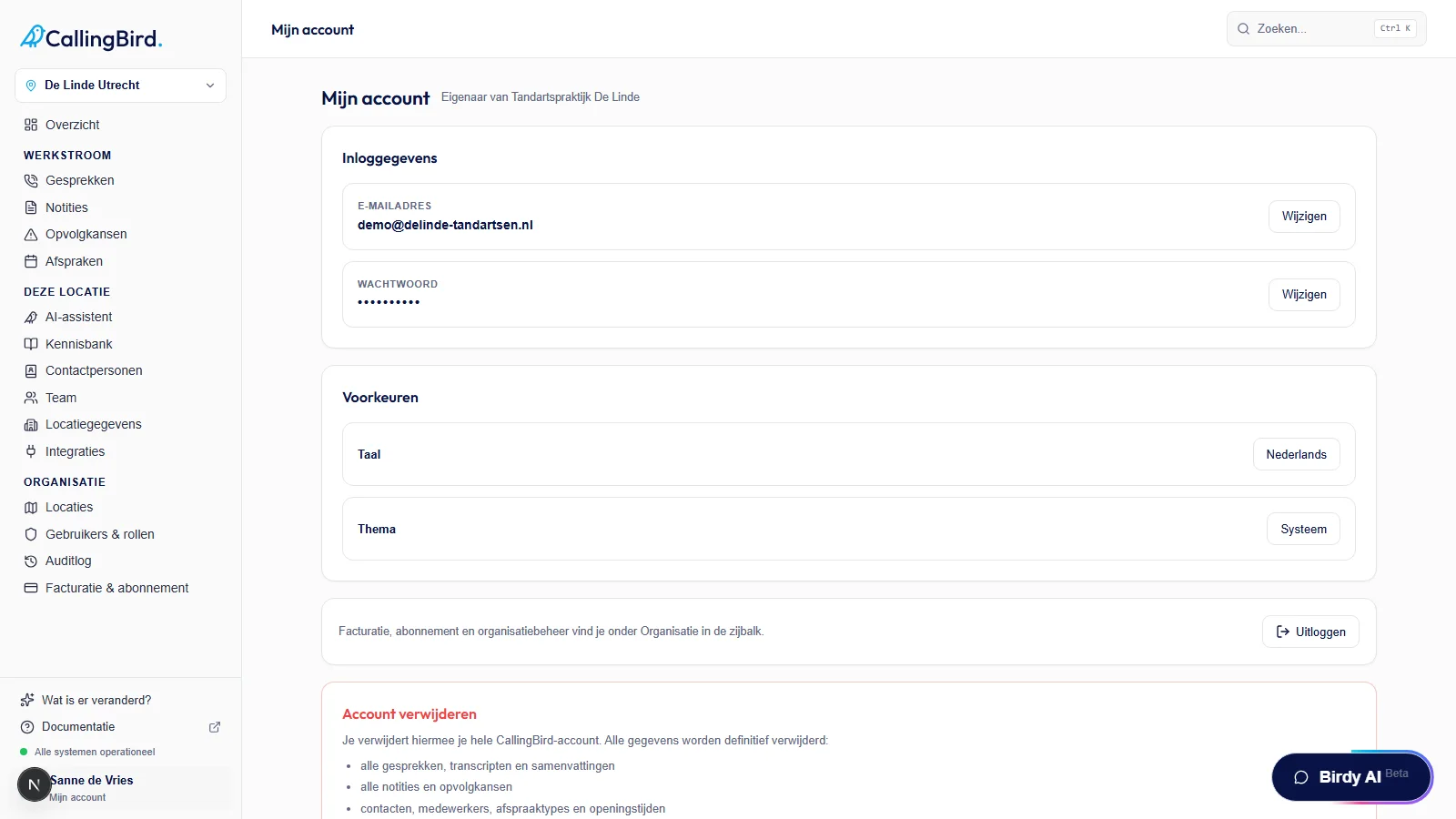
You change your email address and password here, both with your current password. - 4Choose language and theme
Under Preferences, choose your language (Dutch or English) and your theme (Light, Dark or System).
- 5Log out
Click Log out to end your session.
Good to know
- Only the owner can delete the CallingBird account, at the bottom of this page under Delete account; after confirming you get 30 days to change your mind.
- Billing, subscription and organization management are handled under Organization, not here.