
What is this page for?
Under Workflow > Calls you see every call your assistant has handled, with the caller, the time and the outcome. Click a call to view its transcript.
How it works
- 1Open Calls
Choose Workflow > Calls in the menu.
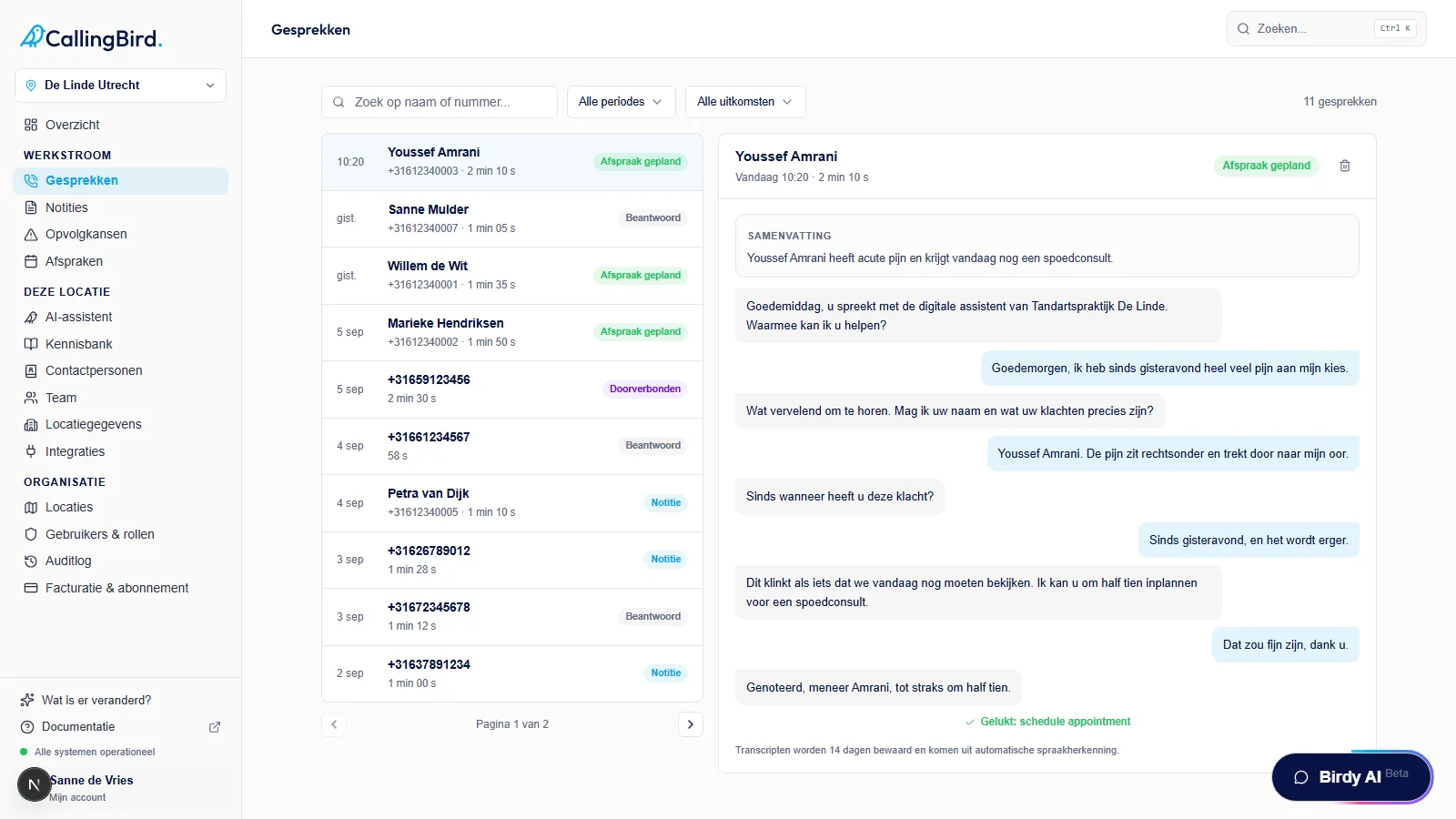
Choose a call on the left; the transcript opens on the right. - 2Search or filter
Search by name or phone number, or filter by period (Today, Last 7 days, Last 30 days) and by outcome, such as Appointment scheduled or Transferred.
- 3View the transcript
On the right you see the summary and the full transcript of the selected call, with the caller, duration and outcome at the top.
- 4Delete a call
Click the bin icon above the transcript and confirm to permanently delete the call.
Good to know
- Transcripts are kept for 14 days and come from automatic speech recognition.
- If you're on All locations, you see the calls from all your locations together, with the location shown on each one.