What is this page for?
Only the owner can view this page. Under Organization > Billing & subscription you manage one invoice for your whole organization, with a line per location, your payment method, your invoice details and your past invoices.
How it works
- 1Open Billing & subscription
Choose Organization > Billing & subscription in the menu.
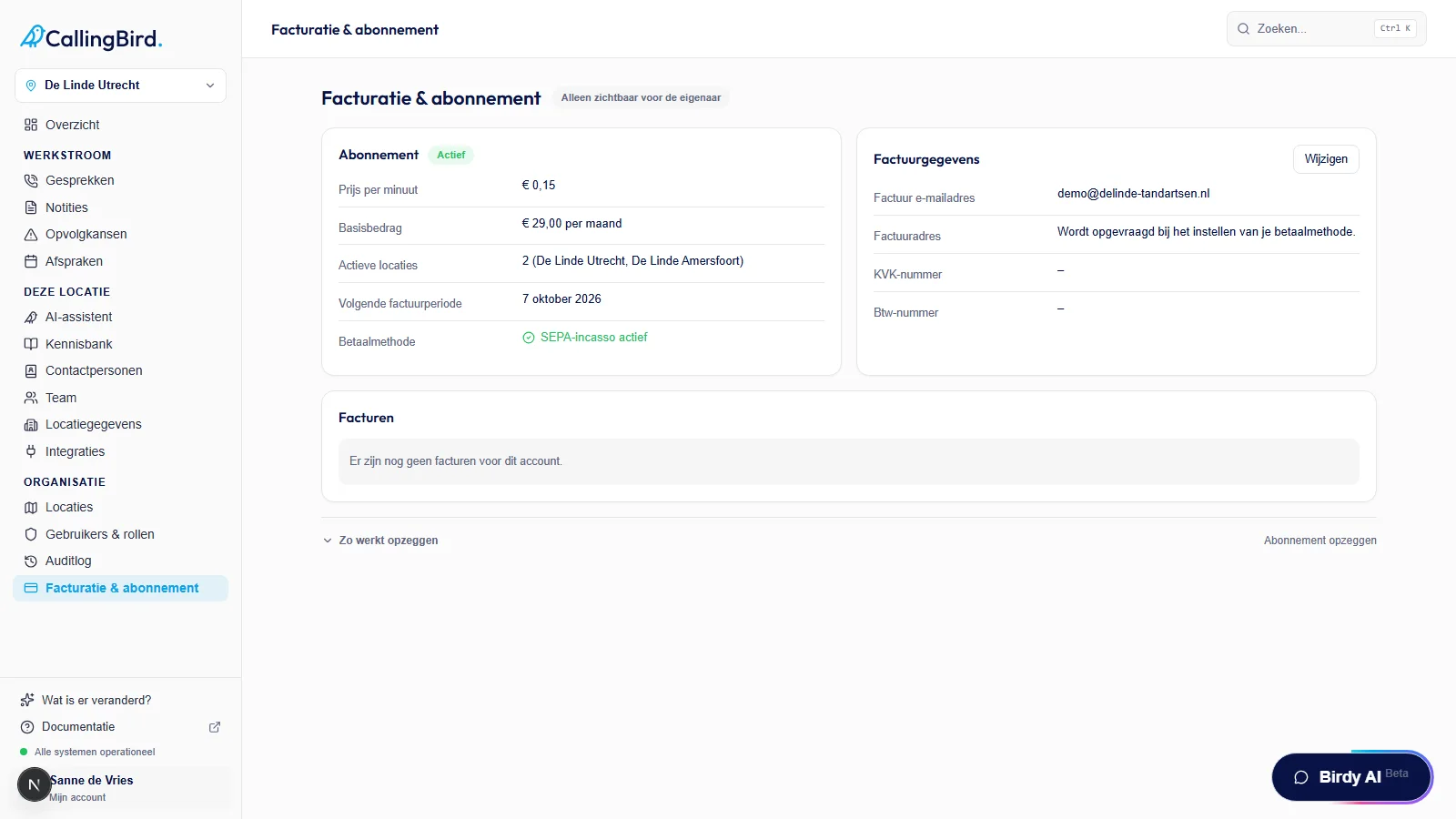
Subscription and payment method are on the left, your invoice details on the right. - 2Check your subscription
The Subscription block shows the price per minute, the base fee, your active locations, the current period and your payment method. If no payment method is set up yet, click Set up payment method.
- 3Update your invoice details
Click Change in the Invoice details block to update your invoice email address, billing address, Chamber of Commerce number or VAT number, and save.
- 4Download an invoice
Under Invoices, click the download icon next to an invoice to retrieve the PDF again.
- 5Cancel your subscription
Click Cancel subscription at the bottom and confirm. Your current period or trial stays active until its end date; after that your account becomes inactive.
Good to know
- If you cancel by mistake, you can undo it with Undo cancellation as long as the period hasn't ended yet.